






























The best parental controls meet families where the worries actually happen: Safari and shared images. Apple is adding Ask to Browse, a Safari approval feature for children, alongside broader Communication Safety filtering for sensitive photos and videos.
Apple detailed the features in its Child Safety press release, saying parents will get new tools to manage what children can see, who they can communicate with, and when they can use apps. The same updates also appear on Apple’s refreshed Child Safety page.
Safari gets Ask to Browse
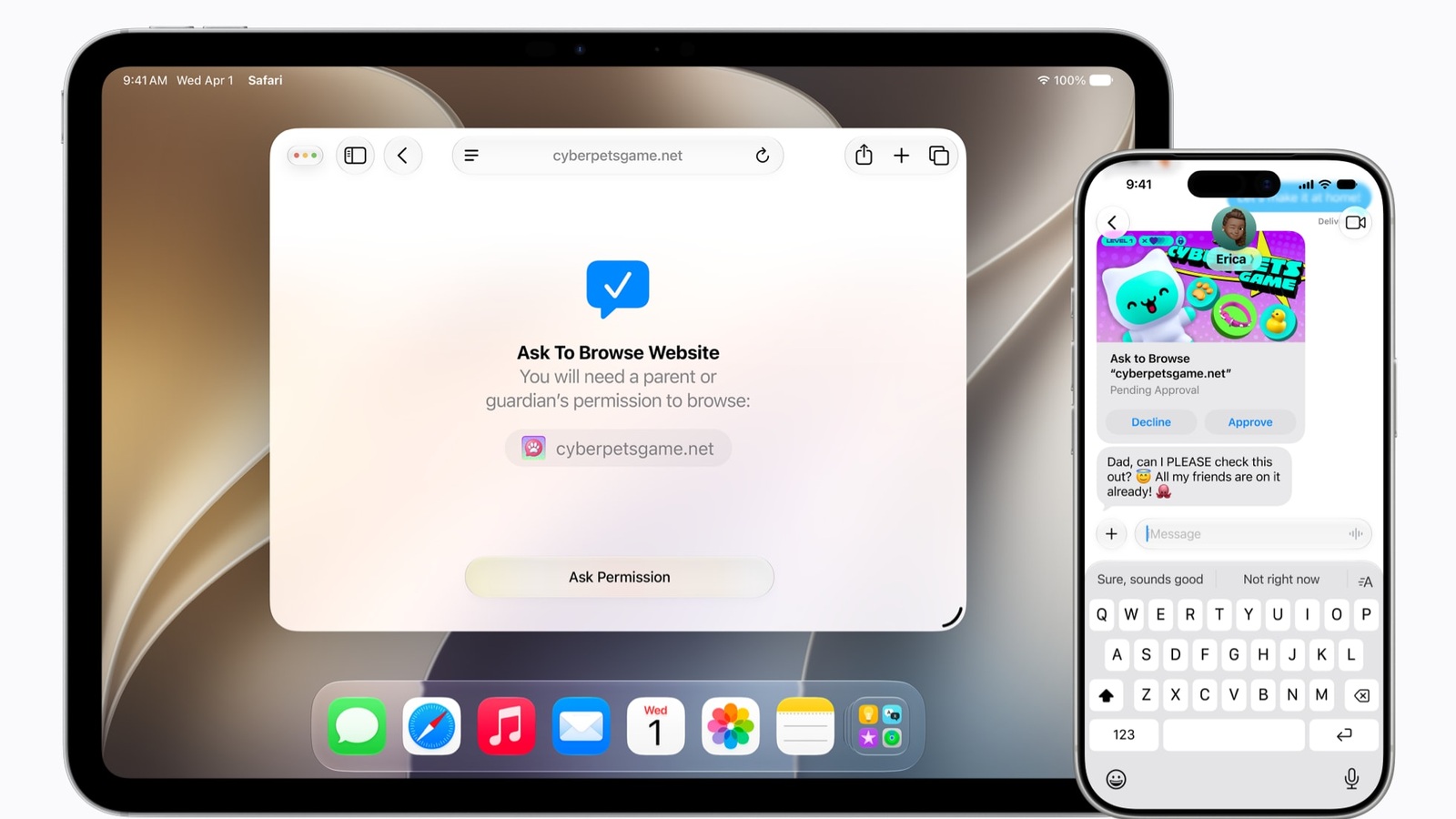
Ask to Browse lets children request permission before opening a new website in Safari. Parents can review the request in Messages before approving it. Apple says the feature works across iPhone, iPad, and Mac.
Apple’s footnote adds that Ask to Browse works in Safari and other WebKit browsers on iOS 27, iPadOS 27, and macOS 27 after upgrading Screen Time. That makes the browser control feel less like a hidden setting and more like a normal family conversation.
Image filtering gets broader
Communication Safety already blurs detected nudity in Messages and FaceTime calls for users under 18. Apple now says it will also intervene to block gore or violent content when detected in shared images or videos.
For developers, Apple’s Sensitive Content Analysis framework gives apps a system-level way to detect sensitive media and show intervention options. That helps apps use Apple’s privacy-focused tools instead of building a separate image-scanning system.
The real test is trust
Apple is pitching the features as practical guardrails, not a replacement for parenting. That matters. Families need controls that feel calm and understandable, especially when the topic involves children’s messages, websites, and media.
The trust question is bigger than Apple. Tech My Money recently covered Norton Family Assistant’s AI parenting tools, and the same theme applies here: parents want help, but the best tools should reduce anxiety instead of making the digital home feel more complicated.